Question 1 of 3

Where do you type the most?

Answer, and your demo shows up right here.
Modes

One voice. Every register.

Modes decide how your words come out: terse for Slack, polite for email, structured for docs, exact for code. You pick the mode once; the tone follows.
listening · 0:04
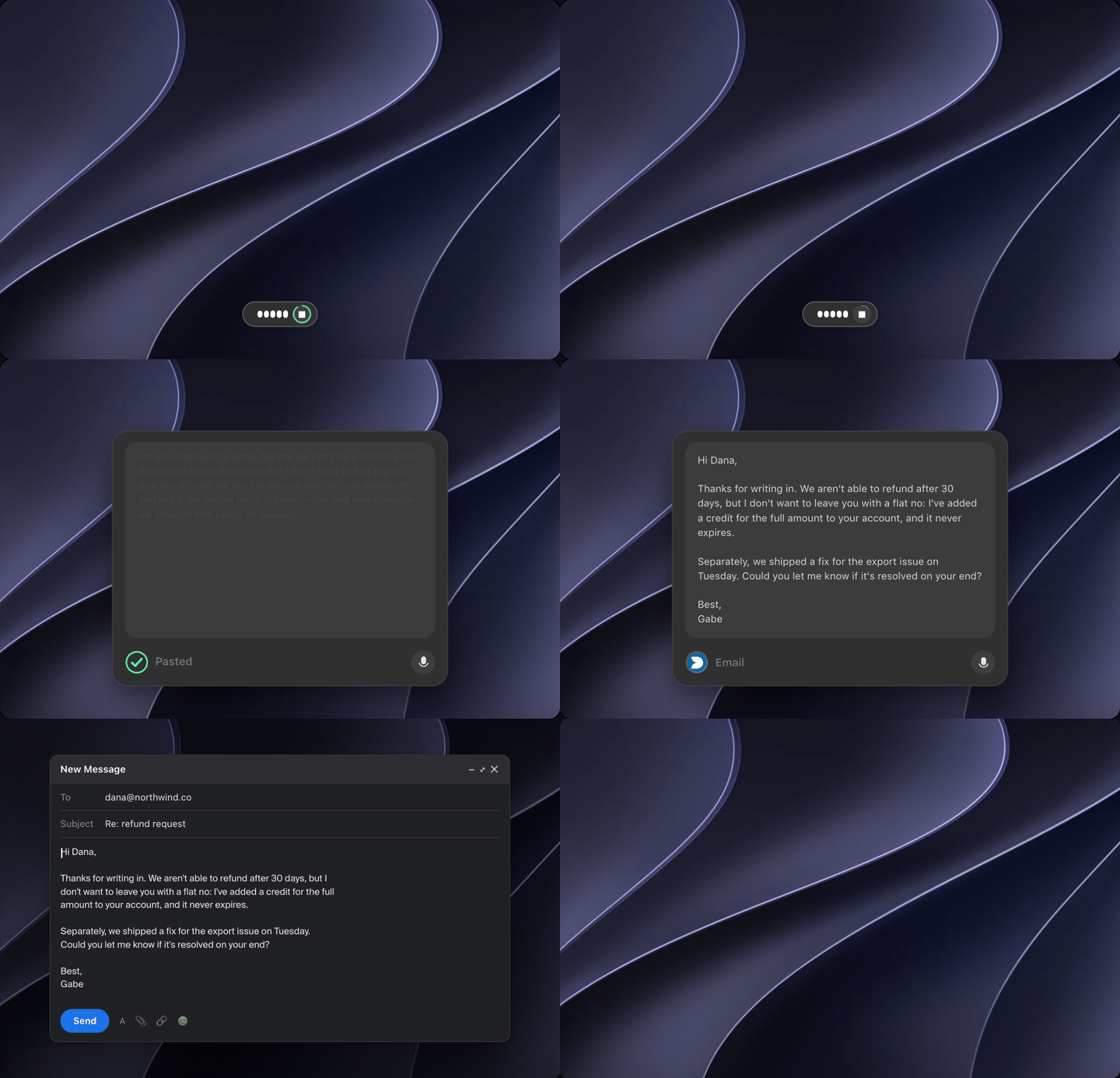
"reply to the customer, we can't refund after 30 days but offer a credit"
↓ Email mode
Hi Dana, thanks for reaching out. We're not able to refund after 30 days, but I've added a credit to your account you can use any time. Let me know if that helps.
Demo clip · Email mode
listening · 0:04
"add a todo, handle the null case when the list is empty"
↓ Code comment mode
// TODO: handle the empty-list case (null guard)
Demo clip · Code comment mode
Not dictation

Faster than typing. Cleaner than dictation.

Dictation gives you back your ums. Dolfinspeak gives you back the message you meant, in the app you're already in, at the cursor.

Launch waitlist

We're letting people in a few at a time.

Join for free and we email you the download when it's your turn. Or skip the line today with Pro from $20/mo, or a one-time Founder's Pass.

Free to join · Mac and Windows

I answer Slack from the couch now. It sounds like me, minus the typos.

Product lead, 40-person startup

Email mode is the first dictation that didn't make me sound like a robot.

Founder, agency

Commit messages in one breath. I didn't know I wanted this.

Backend engineer

Is my audio uploaded?

No. Speech is transcribed on your device. Only the text of a mode run leaves, and only when a mode needs it.

Why a waitlist?

We're small and we'd rather serve fewer people well. Pro and the Founder's Pass skip it because they pay for the seat.

Does it work in every app?

Anywhere you can type. It pastes at the cursor.

Mac or Windows?

Both, from day one. Dolfinspeak runs natively on macOS and Windows.

Ready when you are.

Grab it, hit record, watch the words land.

Mac and Windows · we're letting people in a few at a time